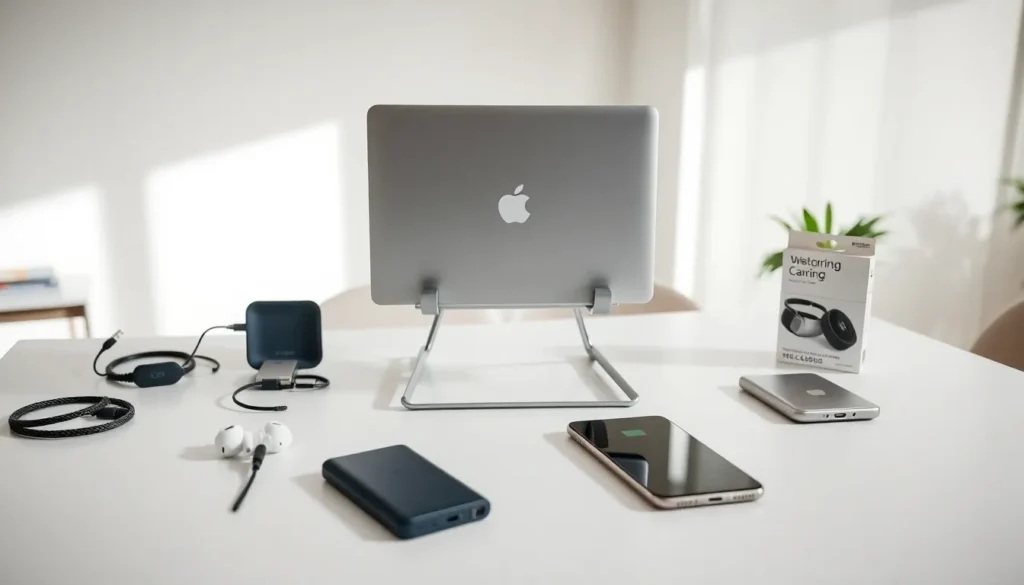

A solid tech accessories guide can save hours of research and hundreds of dollars in wasted purchases. With new gadgets flooding the market each month, picking the right accessories for phones, laptops, and smart devices has become more important than ever. This guide breaks down the essential tech accessories for 2025, explains how to choose wisely, and highlights the categories worth every penny. Whether someone needs better charging solutions, upgraded audio gear, or everyday productivity tools, these recommendations will help them make smarter buying decisions.
Table of Contents
ToggleKey Takeaways
- A comprehensive tech accessories guide helps you avoid wasted purchases and choose products that truly enhance your devices.
- Essential everyday tech accessories include phone cases, portable chargers, laptop stands, and USB-C hubs for maximum productivity and protection.
- Always check compatibility, read detailed user reviews, and evaluate build quality before buying any tech accessory.
- GaN chargers and Qi2 wireless charging pads represent the best 2025 charging solutions, offering faster speeds in compact designs.
- Proper maintenance—including regular cleaning, proper cable storage, and firmware updates—extends the lifespan of your tech accessories significantly.
Essential Tech Accessories for Everyday Use
Some tech accessories have become non-negotiable for daily life. These items boost productivity, protect expensive devices, and make technology more convenient to use.
Phone Cases and Screen Protectors
A quality phone case costs between $20 and $50. It can prevent damage that would cost $200 or more to repair. Tempered glass screen protectors add another layer of defense for under $15. These two tech accessories pay for themselves with one prevented crack.
Portable Chargers
Power banks have evolved significantly. Modern portable chargers offer 20,000mAh capacity in pocket-friendly sizes. They can charge a smartphone four to five times before needing a recharge. For anyone who travels or works remotely, a portable charger eliminates battery anxiety.
Laptop Stands and Ergonomic Accessories
Remote work has made laptop stands essential tech accessories. Elevating a screen to eye level reduces neck strain during long work sessions. Pair a stand with an external keyboard and mouse for a complete ergonomic setup.
USB-C Hubs and Adapters
Most modern laptops have limited ports. A USB-C hub expands connectivity options instantly. Look for hubs that include HDMI output, USB-A ports, and SD card readers. This single tech accessory can replace three or four separate adapters.
How to Choose the Right Tech Accessories
Buying tech accessories without research often leads to regret. These criteria help separate quality products from overpriced junk.
Check Compatibility First
Not all accessories work with all devices. Verify that cables, chargers, and cases match specific device models before purchasing. A tech accessories guide means nothing if the product doesn’t fit.
Read User Reviews Beyond Star Ratings
Five-star ratings don’t tell the whole story. Read the three-star and four-star reviews for honest assessments. These reviewers often note minor issues that matter over time.
Consider Build Quality and Materials
Cheap plastic breaks quickly. Aluminum, braided cables, and reinforced connectors last longer. Spending an extra $10 on better materials usually extends product life by years.
Evaluate Warranty and Return Policies
Reputable brands stand behind their tech accessories with warranties. Look for at least one year of coverage. Avoid sellers who don’t accept returns, that’s often a red flag for quality problems.
Compare Price Per Feature
Two chargers might cost the same, but one delivers 65W while another delivers 30W. Calculate what features cost. Sometimes spending more upfront saves money by eliminating the need for multiple purchases.
Top Categories of Tech Accessories Worth Investing In
Not all tech accessories offer equal value. These categories deserve priority in any 2025 buying list.
Charging and Power Solutions
Charging technology has improved dramatically. GaN (gallium nitride) chargers deliver more power in smaller packages than older silicon-based designs. A 65W GaN charger can power a laptop, tablet, and phone simultaneously.
Wireless charging pads have become faster too. Qi2 standard chargers now deliver up to 15W, cutting wireless charging times nearly in half compared to older models. Multi-device charging stations reduce cable clutter by powering three or more gadgets from one spot.
For frequent travelers, international adapter kits prove invaluable. Quality kits include surge protection and multiple USB ports alongside traditional plug converters.
Audio and Communication Gear
Audio tech accessories have seen major improvements in 2025. True wireless earbuds now offer active noise cancellation at mid-range price points. Models under $100 deliver sound quality that rivaled $300 options just two years ago.
Webcams and microphones matter more than ever for video calls. Built-in laptop cameras still produce grainy, unflattering video. A dedicated 1080p or 4K webcam paired with a USB microphone transforms call quality dramatically.
Bluetooth speakers continue getting smaller without sacrificing volume. Waterproof models work for outdoor gatherings, showers, and pool days. Look for speakers with at least 10 hours of battery life for all-day use.
Tips for Maintaining Your Tech Accessories
Quality tech accessories last longer with proper care. These maintenance habits protect investments and keep gear working reliably.
Clean Accessories Regularly
Dust, lint, and debris accumulate in ports, connectors, and cases. Use compressed air to clear charging ports monthly. Wipe surfaces with microfiber cloths to remove oils and fingerprints. Clean earbuds and cases weekly to prevent wax buildup.
Store Cables Properly
Tight coiling damages cables over time. Use loose loops or cable organizers instead. Avoid bending cables at sharp angles near connector ends, this is where most cables fail.
Avoid Extreme Temperatures
Heat degrades batteries in power banks and wireless earbuds. Cold temperatures temporarily reduce battery capacity. Don’t leave tech accessories in cars during summer or winter extremes.
Update Firmware When Available
Many modern tech accessories receive firmware updates. Wireless earbuds, smart chargers, and Bluetooth devices often gain features or fix bugs through updates. Check manufacturer apps periodically for available downloads.
Replace Worn Items Before They Fail
Frayed cables, cracked cases, and batteries that drain quickly are warning signs. Replacing worn tech accessories before complete failure prevents inconvenience and potential device damage.