
Tech accessories tips can save buyers from expensive mistakes and help them get more value from their devices. Cables, chargers, cases, and peripherals often seem like afterthoughts, but they directly affect how well gadgets perform and how long they last.
The right accessories improve productivity, protect investments, and reduce frustration. The wrong ones create compatibility headaches, break quickly, or sit unused in a drawer. This guide covers practical advice for selecting, using, and maintaining tech accessories. Readers will learn how to match products to their actual needs, balance quality against budget, and keep their gear working properly for years.
Key Takeaways
- Assess your actual daily needs before buying tech accessories to avoid impulse purchases that end up unused.
- Prioritize quality over price for safety-related items like chargers and cables, as well as accessories that protect expensive devices.
- Always check compatibility—verify USB standards, Bluetooth versions, and operating system requirements before purchasing.
- Extend accessory lifespan by practicing simple maintenance: avoid sharp cable bends, clean ports regularly, and wash earbuds tips.
- Organize your tech accessories with labeled cables, designated storage compartments, and a dedicated travel kit for essentials.
- Calculate cost per use when comparing prices—a durable accessory used daily often provides better long-term value than a cheap alternative.
Identifying the Right Accessories for Your Needs
Before buying any tech accessories, buyers should assess what they actually need. This sounds obvious, but impulse purchases fill countless junk drawers.
Start by listing daily tech tasks. Someone who works from home needs different accessories than a frequent traveler. A graphic designer requires a precise mouse and color-accurate monitor, while a writer might prioritize a comfortable keyboard.
Consider these questions:
- What problems need solving? A dying phone battery mid-day suggests a portable charger. Tangled cables point to a cable management solution.
- What devices require support? List every gadget that needs accessories, phones, tablets, laptops, earbuds, smartwatches.
- How often will each accessory be used? Daily-use items justify higher spending. Occasional-use items can be more budget-friendly.
Think about future needs too. Someone planning to upgrade their laptop in six months should check whether current accessories will work with the new device. Tech accessories tips from experienced users often emphasize buying for tomorrow, not just today.
Avoid the trap of buying accessories for hypothetical scenarios. That fancy docking station looks great, but if remote work only happens twice a month, it’s probably not worth the investment.
Quality Versus Price: What to Prioritize
The cheapest option rarely provides the best value. But the most expensive option isn’t automatically the best either.
For tech accessories, quality matters most when:
- Safety is involved. Cheap chargers and cables can damage devices or pose fire risks. Stick with certified products from reputable brands for anything that delivers power.
- The accessory protects expensive equipment. A $20 phone case protecting a $1,000 phone makes sense. Skimping here risks costly repairs.
- Daily use will cause wear. Keyboards, mice, and headphones get constant use. Higher-quality versions last longer and feel better.
Price can take priority when:
- The accessory is temporary. Travel adapters for a one-time trip or backup cables don’t need premium features.
- Specifications are standardized. Generic HDMI cables perform identically to expensive branded versions for most users.
- Replacement costs are low. Screen protectors and cable ties are essentially disposable.
Look for middle-ground brands that offer solid quality without luxury pricing. Reading reviews from actual users helps identify products that punch above their price point.
One practical tech accessories tip: calculate cost per use. A $100 keyboard used daily for three years costs about nine cents per use. A $30 keyboard that breaks in six months costs nearly seventeen cents per use, and creates frustration along the way.
Compatibility and Connectivity Considerations
Compatibility issues waste money and cause headaches. Checking specifications before purchase prevents most problems.
Port Types and Standards
USB-C has become standard on most modern devices, but variations exist. Not all USB-C cables support fast charging or high-speed data transfer. Check the USB standard (USB 2.0, 3.0, 3.1, 4.0) to confirm the cable matches the intended use.
Older devices may still use USB-A, Micro-USB, or Lightning connectors. Buyers should inventory their devices’ ports before purchasing cables and chargers.
Wireless Protocols
Bluetooth versions affect audio quality, range, and battery life. Bluetooth 5.0 and newer offer better performance than older versions. Wireless peripherals should match the Bluetooth version the primary device supports.
Wi-Fi standards matter for networking accessories. A Wi-Fi 6 router provides benefits only if connected devices support Wi-Fi 6.
Operating System Requirements
Some tech accessories work only with specific operating systems. A mouse with customizable buttons might offer full software support on Windows but limited features on macOS. Check manufacturer specifications for each operating system before buying.
Power Requirements
Chargers must match device requirements. A 20W charger won’t fast-charge a laptop that needs 65W. Underpowered chargers work but charge slowly. Overpowered chargers are fine, devices draw only what they need.
These tech accessories tips on compatibility save returns and disappointment. Spending five minutes checking specs beats spending five days waiting for a replacement.
Caring for Your Tech Accessories
Proper care extends the life of tech accessories significantly. Most maintenance takes minimal effort.
Cables and Chargers
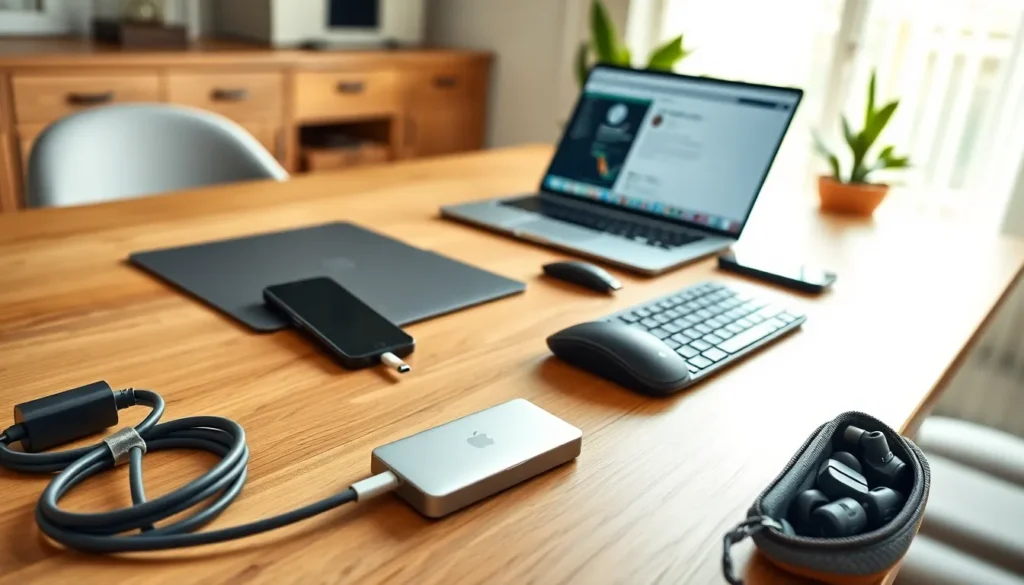
Cables fail most often at connection points. Avoid bending cables sharply near plugs. Unplug by gripping the connector, not pulling the cord. Store cables loosely coiled rather than tightly wound.
Clean charging ports on devices regularly. Lint and debris accumulate and prevent solid connections. A wooden toothpick removes buildup safely.
Peripherals
Keyboards collect dust, crumbs, and skin cells. Turn them upside down and shake gently to remove loose debris. Compressed air clears material between keys. Wipe surfaces with a slightly damp microfiber cloth.
Mice benefit from occasional cleaning too. Optical sensors can get dusty. Mouse feet wear down over time and can be replaced on most models.
Headphones and earbuds need regular cleaning. Earwax builds up on ear tips and affects sound quality. Remove silicone tips and wash them with mild soap. Wipe hard surfaces with a dry cloth.
Cases and Protective Gear
Phone and laptop cases get dirty from daily handling. Most can be cleaned with water and mild soap. Check manufacturer guidelines for specific materials.
Screen protectors should be replaced when cracked or heavily scratched. A damaged protector offers less protection and can obstruct the display.
Following these tech accessories tips on maintenance prevents premature replacement costs. A few minutes of care each month pays off over the life of each accessory.
Organizing and Storing Your Gear
Disorganized tech accessories get lost, damaged, or forgotten. Simple organization systems solve these problems.
Cable Management
Label cables at both ends. This simple step saves time when troubleshooting or rearranging setups. Velcro ties beat zip ties because they’re reusable and adjustable.
Cable boxes hide power strips and excess cord length. They reduce visual clutter and prevent pets or children from accessing cords.
Designate a travel kit with duplicates of essential cables and chargers. Packing becomes faster, and daily-use items stay at the desk.
Storage Solutions
Use drawer dividers or small containers to separate accessories by type. Chargers in one section, adapters in another, earbuds in a third. Finding items takes seconds instead of minutes.
For travel, tech pouches with multiple compartments keep accessories organized and protected. Look for pouches with elastic loops that hold cables in place.
Inventory Management
Periodically review owned tech accessories. Outdated items for devices no longer used just take up space. Recycle or donate accessories that serve no current purpose.
Keep receipts and warranty information in a digital folder. Many tech accessories include warranties that buyers forget about when problems occur.
These tech accessories tips on organization reduce frustration and help users find what they need quickly. A tidy setup also makes it easier to notice when something goes missing.