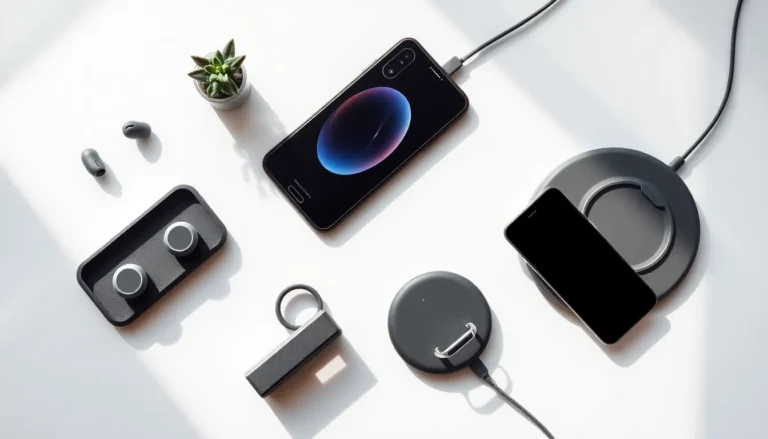

Knowing how to choose tech accessories can save buyers time, money, and frustration. The right accessories extend device functionality and protect valuable investments. The wrong ones end up in junk drawers. This guide breaks down the essential factors shoppers should consider before making a purchase. From compatibility checks to budget planning, these practical tips help anyone find tech accessories that actually work for their needs.
Key Takeaways
- Always verify device compatibility before purchasing tech accessories to avoid returns and wasted money.
- Look for quality certifications like MFi and USB-IF, and choose durable materials such as braided cables and aluminum casings.
- Match tech accessories to your actual usage patterns—portability needs, daily routines, and existing device setups matter most.
- Mid-range pricing typically offers the best value, balancing durability and performance without premium brand markups.
- Factor in total cost of ownership since cheap accessories that need frequent replacement cost more over time.
- Shop across multiple retailers and wait for major sales events to save 20-40% on quality tech accessories.
Assess Your Device Compatibility Needs
Compatibility matters more than any other factor when shopping for tech accessories. A beautiful wireless charger means nothing if it doesn’t work with a specific phone model. Buyers should start by checking their device specifications before browsing options.
Most manufacturers list compatible devices on product packaging and websites. For cables, connectors like USB-C, Lightning, and USB-A serve different devices. Smartphones from Apple use Lightning or USB-C ports, while most Android phones rely on USB-C connections. Laptops vary even more widely in their port configurations.
Wireless tech accessories require attention to protocol versions. Bluetooth 5.0 earbuds work with older Bluetooth devices, but users won’t get optimal performance. Similarly, wireless chargers support different wattage levels. A 15W charger paired with a phone that only accepts 7.5W wireless charging won’t damage anything, but the buyer pays for capability they can’t use.
Smart home tech accessories add another layer of consideration. Buyers need to verify whether products work with their existing ecosystem, Apple HomeKit, Google Home, or Amazon Alexa. Cross-platform compatibility exists, but not universally.
The safest approach involves noting the exact device model and checking the accessory manufacturer’s compatibility list. This simple step prevents returns and disappointment.
Prioritize Quality and Durability
Cheap tech accessories often cost more in the long run. A $5 charging cable that frays after two months needs replacement, while a $15 cable with reinforced construction lasts years. Quality directly affects both performance and longevity.
Certifications provide helpful quality indicators. MFi (Made for iPhone) certification means Apple has tested the accessory. USB-IF certification confirms cables meet USB standards. These certifications don’t guarantee perfection, but they filter out the worst offenders.
Material choices reveal durability potential. Braided nylon cables resist tangling and wear better than plastic-coated alternatives. Aluminum casings on portable chargers dissipate heat more effectively than plastic. Silicone cases offer flexibility and grip, while polycarbonate provides rigid protection.
User reviews offer real-world durability insights that product descriptions can’t match. Patterns matter more than individual complaints. If multiple reviewers mention the same issue, a headphone band that snaps, a mount that loosens over time, that feedback likely reflects a genuine design flaw.
Warranty terms also signal manufacturer confidence. Companies offering two-year warranties on their tech accessories typically build products meant to last. Those offering 30-day coverage may not expect their products to survive much longer.
Consider Functionality and Everyday Use
The best tech accessories fit seamlessly into daily routines. Features that sound impressive in product descriptions sometimes prove useless in practice. Buyers benefit from thinking through their actual usage patterns.
Portability requirements shape many accessory decisions. Someone who travels frequently needs a compact power bank, even if it holds less charge than larger models. A person who works from a single desk might prefer a bulkier dock with more ports. Context determines what “functional” actually means.
Multi-purpose tech accessories can simplify lives or add unnecessary complexity. A 3-in-1 charging station that powers a phone, watch, and earbuds works great for users with all three devices. For someone with just a phone, that same product wastes space and money.
Ease of use matters enormously. A Bluetooth speaker with intuitive controls gets used daily. One requiring an app download and account creation for basic functions stays in a drawer. The same logic applies to phone mounts, keyboard cases, and smart plugs.
Buyers should also consider how tech accessories interact with each other. A thick phone case might prevent wireless charging. A laptop stand might block access to certain ports. Testing these interactions mentally, or reading reviews from users with similar setups, prevents surprises.
Set a Realistic Budget
Tech accessories span enormous price ranges. Wireless earbuds cost anywhere from $20 to $300. Phone cases range from $5 to $100. Setting a budget before shopping prevents both overspending and settling for inadequate quality.
The sweet spot for most tech accessories falls in the mid-range. Budget options often sacrifice durability or performance. Premium options frequently charge for brand names or features most users don’t need. Products priced between these extremes typically offer the best value.
Some categories justify higher spending. Tech accessories used daily for years, quality headphones, reliable charging cables, protective cases, deserve investment. Items used occasionally or likely to become obsolete quickly warrant more modest budgets.
Buyers should factor in total cost of ownership. A cheap tech accessory that needs replacement every six months costs more over two years than a quality option at triple the initial price. This calculation applies especially to items prone to wear.
Sales cycles create opportunities for savvy shoppers. Major retail events like Prime Day, Black Friday, and back-to-school seasons often discount tech accessories by 20-40%. Waiting for these windows makes premium options more accessible.
Where to Shop for Tech Accessories
Shopping location affects price, selection, and buyer protection. Different retailers suit different needs and priorities.
Manufacturer websites guarantee authentic products but rarely offer the best prices. Apple, Samsung, and other device makers sell their own tech accessories with full warranty support. Third-party accessory brands like Anker and Belkin also sell direct, sometimes with exclusive bundles.
Major retailers like Amazon, Best Buy, and Target provide wide selection and competitive pricing. Amazon’s review system helps buyers assess quality, though fake reviews require vigilance. Best Buy offers in-store pickup and hands-on examination. Target works well for last-minute needs.
Specialty electronics stores carry curated selections of tech accessories. Staff knowledge varies, but dedicated electronics retailers often stock higher-quality brands than general merchandise stores.
Secondhand marketplaces like eBay, Swappa, and Facebook Marketplace offer discounts on used or open-box tech accessories. These platforms work best for expensive items where savings justify the extra diligence required. Buyers should verify seller ratings and return policies before purchasing.
Whichever shopping venue buyers choose, comparing prices across multiple sources takes just minutes and often reveals significant savings.